
What are card controls?
Card controls are a feature available in internet banking or the Mobile App, giving you extra security on your credit and debit cards, by blocking certain types of card transactions.
You can block transactions in Australia and overseas:
- Tap and Go (Visa payWave)
- In-store purchases
- Online purchases
- ATM withdrawals
- Digital wallet purchases.
You can access card controls by logging into to internet banking or the Mobile App and going to Card Management > Card Controls.
What is a digital wallet?
A digital wallet gives you the freedom to carry all your cards in one place, on your smartphone. Both our Visa Debit and Visa Credit cards can be added to your digital wallet using Apple Pay, Google Pay or Samsung Pay.
Find out more about digital wallets.
What is PayWave?
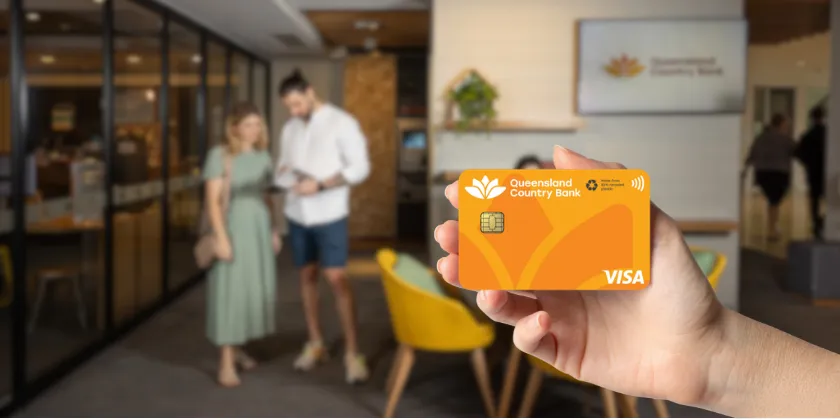
Our cards are enabled with Visa PayWave, so you can simply tap your card against the PayWave reader to almost instantly pay for your goods. For purchases under $100, you don't even need to enter your PIN, and the card never leaves your hand.
If your purchase is more than $100, you can still use Visa payWave - you'll simply need to enter your PIN, the same way you normally would.
Visa payWave cards have multiple layers of security in place to make sure your money and transactions are safe, and payWave transactions also have Visa's Zero Liability protection, which ensures you are not responsible for fraudulent or unauthorised transactions, subject to the terms and conditions and provided you did not contribute to the loss incurred.
What about my card's security?
Queensland Country works with Vigil, a card security monitoring service, to monitor and report any suspicious transactions. This means we can work quickly to protect your funds in the event your card is compromised.
Find out more about card security.
What happens if my card has been used fraudulently?
If you think your card has been used fraudently it's important you take action quickly. See how to cancel your card (also referred to as marking it lost or stolen) here.
If you are concerned about transactions that have occured on your account, it is important you contact us as soon as possible. Please call your nearest branch or our Contact Centre on 1800 075 078 during business hours.
If you need assistance outside business hours, please phone the Visa lost or stolen cards hotline on 1800 648 027 or +61 2 8299 9101 if you are overseas.
What do I do if my card is lost or stolen?
If you've lost your card or think it has been stolen, you can report it through Internet Banking or the Mobile App under Card Management in the menu (you’ll find this under Services in Internet Banking). Complete the prompts, and choose if you’d like to replace your card. You’ll be able to access your new card using your digital wallet straight away, and your new physical card will arrive within 7-10 days.
Alternatively, you can contact us to report your card as lost or stolen. Please call your nearest branch or our Contact Centre on 1800 075 078 during business hours. If you need to report your card lost or stolen outside business hours, please phone the Visa lost or stolen cards hotline on 1800 648 027.
If your card is lost or stolen when you're overseas, please phone +61 2 8299 9101.
Please note that you will need to update your card control settings for your new card if you have customised your card controls in Internet Banking or the Mobile App.
Can I change my ATM PIN at a Queensland Country Bank ATM?
Yes, all Queensland Country Bank branded ATMs now support PIN changes. If you're a Queensland Country Bank cardholder, you can change your PIN directly at any of these ATMs, which you can find using our ATM Locator.
To do so, you'll need to enter your current valid PIN before selecting a new one. This service is free of charge and available exclusively to Queensland Country Bank Members. Please note that PIN changes are not available at non-Queensland Country Bank ATMs.
I’ve misplaced my card, can I lock it until I find it again?
If you’ve misplaced your card but you’re not sure it’s completely lost, you can temporarily block your card using card controls in Internet Banking or the Mobile App. Once you locate it, you can unblock your card and it will be ready to use again.
Go to Card Management, select the icon for “Block” and confirm your temporary block.
While your card is temporarily blocked, you’ll still be able to use your digital wallet and any direct debits to your card number will still be processed to avoid any inconvenience to you.
If you have lost your card completely, you can report it lost and order a new card.
How do I activate my new card?
If you have ordered a card through Internet Banking or our Mobile App, your new card will arrive active and ready to use.
If you have ordered a new card in branch or when speaking with our Contact Centre, you will need to active your card in Internet Banking or the Mobile App under 'Card Management'. Alternatively, you can call our Contact Centre on 1800 075 078 to activate your card.
Can I block overseas transactions?
You can choose to block all types of international transactions, such as ATM withdrawals, Tap and Go (payWave) and in-store purchases using Card Controls in Internet Banking and the Mobile App.
If you’re travelling overseas, don’t forget to turn these back on if you plan on using your card for purchases or withdrawals during your travels.
You can also block international online purchases, to help protect you from fraud.
You can change these preferences any time with Card Controls. The changes will be effective almost immediately.
Can I turn off payWave?
We know not everyone likes the payWave feature, so you can switch it off using card controls.
Access card controls by logging into to Internet Banking or the Mobile App and going to Card Management > Card Controls.
Turn the toggles for Tap and Go to the off position.
You will need to insert your card to make payments using your card when payWave has been disabled in Card Controls.
Can I block online purchases from my card?
You can block both Australian and International online purchases using Card Controls in Internet Banking and the Mobile App.
This can be a useful tool to make sure your kids aren’t inadvertently spending funds on games, and blocking international online transactions can also be a useful tool to protect you from fraud.
Access card controls by logging into to Internet Banking or the Mobile App and going to Card Management > Card Controls.
How do I view my card details in the Mobile App or Internet Banking?
If you want to do some online shopping but don’t have your card handy, you can view your card details securely through Internet Banking or the Mobile App.
Go to Card Management, select the card you need and tap the icon for Card Details. Follow the prompts to display your card number, expiry data and CVV to complete your transaction.
Ensure you only access your card details when you are in a secure location.
How do I use Card Controls?
Login to Internet Banking or the Mobile App and go to Card management > Select the card you'd like to manage > Select Card controls.
From here you control your card's ability to be used for payWave, Online purchases, In-Store purchases, ATM withdrawals and Digital wallet in both Australia and Internationally.
Can I deposit cash at any Queensland Country Bank ATM?
Deposits can be made at all Queensland Country Bank branded ATMs that are deposit-enabled. Deposits require inserting your physical card and entering your PIN, as contactless and digital wallet transactions are not supported for deposits.
You can find your nearest deposit-enabled ATM using our ATM Locator.
How long does it take for deposited funds to appear in my account?
Deposited funds are available immediately after the transaction is completed and will appear as cleared in your Queensland Country Bank account.
How do I cancel my card online?
If you want to cancel your card and credit facility (i.e. close your credit card account), please follow these steps.
If you would like to cancel your card only, due to being lost or stolen, you can contact us via phone on 1800 075 078 or visit your local branch during business hours to report your card and arrange a replacement card.
You can also report your card as lost or stolen in Internet Banking or the Mobile App by going to Card Management and following the prompts. You can choose to order a replacement card and add it to your digital wallet straight away to continue using your account.
If you think you may have just misplaced your card, find out how to temporarily block your card.
What is Verified by Visa?
If you're shopping online, you may come across Verified by Visa at certain merchants. Verified by Visa authenticates your identity at the point of the transaction, and is designed to make online shopping safer.
It guarantees to both the buyer and seller that it's a genuine transaction. All Visa cards are able to use the Verified by Visa service.
What is Visa Zero Liability?
By pressing credit when you use your Visa Credit card, you gain access to all Visa’s security benefits such as Visa’s Zero Liability Policy which protects against unauthorised transactions. Visa’s Zero Liability Policy is a guarantee from Visa that Visa cardholders will not be liable for an unauthorised transaction made as a result of card fraud or stolen cards.*
Review your monthly account statement and report fraudulent charges
Take the time to look at your monthly Visa statement, and let us know if anything appears incorrect so we can take action as quickly as possible.
Get quick resolution on your Visa card
If your account is compromised, Queensland Country and Visa are committed to setting things right without further aggravation or inconvenience to you. Under Visa's cardholder protection policy, we will extend provisional credit for losses from unauthorised card use within 5 business days of notification of the loss.
Contact us on 1800 075 078 or your nearest branch for more information or to report fraudulent transactions.
* Visa's Zero Liability policy covers Australian and New Zealand-issued cards and does not apply to ATM transactions, transactions not processed by Visa or certain commercial card transactions. Cardholders should notify their issuer promptly of any unauthorised Visa use. Please consult your issuer for additional details.
Information sourced from Visa Australia.
I’ve lost my bank card, how can I order a replacement card for my account?
If your card has been lost or stolen, it’s important that you act quickly to help prevent any unauthorised transactions. After you have reported this to us, we can help you order a replacement card or, alternatively, you can request a replacement card through Internet Banking or the Mobile App.
Mobile App:
- Log into the app and tap the menu icon in the top-left corner of the home screen
- Select ‘Card management’
- Select ‘Lost Or Stolen’ for the relevant card
- Follow the prompts to prevent any unauthorised transactions and order a replacement card
Internet Banking:
- Log into Internet Banking and select ‘Services’ from the header menu at the top of the home screen
- Select ‘Card management’
- Select ‘Lost Or Stolen’ for the relevant card
- Follow the prompts to prevent any unauthorised transactions and order a replacement card
Alternatively, you can visit your local branch or call our Contact Centre on 1800 075 078 during business hours. To find our business hours, please refer to our Contact Us page.
If you’re unable to confirm your card as lost or stolen through the Mobile App or Internet Banking, and it’s outside of business hours, please contact Visa directly on 1800 648 027 or +61 2 8299 9101 if you’re overseas. You can also find these contact numbers on the back of your Queensland Country Visa Debit or Credit card.
Once business hours resume, you can call us directly, and we’ll arrange a replacement card for you.
For further information on lost or stolen cards, please refer to our Cards FAQ page for advice on how to report the issue.
How do I arrange a replacement Cash Passport card?
If you need to replace your Cash Passport card, we recommend contacting Mastercard Card Services directly on 1800 098 231 and they’ll arrange a replacement for you.
Any positive balances will be transferred to the new card.
Please note, it can take up to 15 days for your replacement card to arrive.