Internet Banking
Internet Banking is a convenient, capable and secure way to access your accounts with Queensland Country Bank 24 hours a day, 7 days a week.

Warning: Your browser is out of date and is not supported by our website. Please update your browser to use this site and enhance your online security. Learn more.
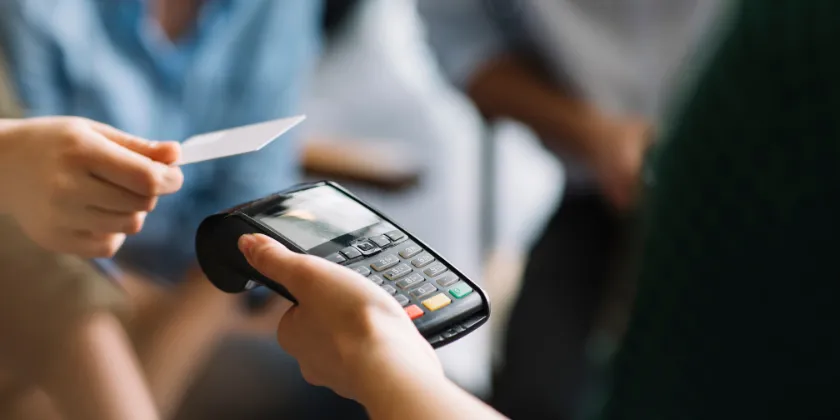
A digital wallet put simply is an app available in most smart phones that allows you to store your Credit and or Debit Card information. This is a perfect option if you don’t have a wallet on hand or looking for a faster way to make a Credit or Debit Card payment.
Generally, your card information can be protected by using face recognition or with a password for security. Within your digital wallet app your card information also won’t be completely available for you to view.
Pay simply and securely with the two most popular Digital Wallet options, Google Pay and Apple Pay. Add your Queensland Country Visa Debit or Credit card to your eligible device.
Digital Wallets aren't the only way you can access your money.
Internet Banking is a convenient, capable and secure way to access your accounts with Queensland Country Bank 24 hours a day, 7 days a week.
Explore the Queensland Country Mobile App to access your banking on the go!
Make sure you don't lose access to your money whilst overseas!
Access your money at over 3,000 Post Offices Australia wide!
Queensland Country Bank Visa Debit and Credit cards can be used on Apple Pay, Google Pay and Samsung Pay.
You can complete any transaction that you normally would with your physical card at anywhere that accepts contactless payments.
You can now also perform contactless cash withdrawals and balance enquiries at any Queensland Country Bank ATM. Contactless access is also available to most other bank cardholders, depending on whether your card issuer supports digital wallet functionality.
Ensure you have enabled the “Digital Wallet” card controls in Internet Banking or the Mobile App to make a digital wallet payment.
If you've lost your card or think it has been stolen, you can report it through Internet Banking or the Mobile App under Card Management in the menu (you’ll find this under Services in Internet Banking). Complete the prompts, and choose if you’d like to replace your card. You’ll be able to access your new card using your digital wallet straight away, and your new physical card will arrive within 7-10 days.
Alternatively, you can contact us to report your card as lost or stolen. Please call your nearest branch or our Contact Centre on 1800 075 078 during business hours. If you need to report your card lost or stolen outside business hours, please phone the Visa lost or stolen cards hotline on 1800 648 027.
If your card is lost or stolen when you're overseas, please phone +61 2 8299 9101.
Please note that you will need to update your card control settings for your new card if you have customised your card controls in Internet Banking or the Mobile App.
Queensland Country Bank does not charge any fees to set your card up on a Digital Wallet however you should always check if the wallet providers charge any fees.